mirror of
https://github.com/027xiguapi/code-box.git
synced 2026-04-28 15:22:15 +00:00

184 lines
8.0 KiB
Markdown
184 lines
8.0 KiB
Markdown
# Codebox - One-click Code Copying/Downloading Articles
|
|
|
|
[中文](README.md) | [English](README_EN.md)
|
|
|
|
## official website
|
|
|
|
https://www.code-box.fun/
|
|
|
|
## Introduction
|
|
|
|
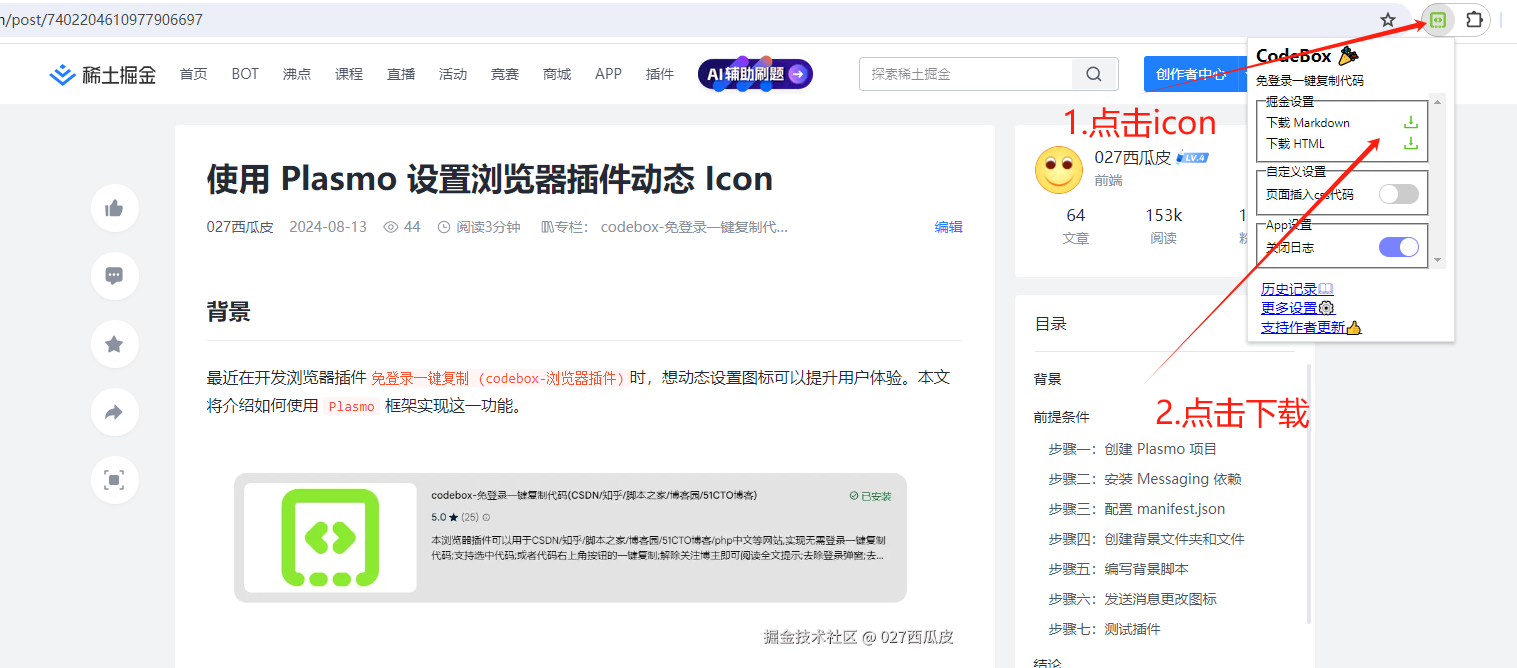
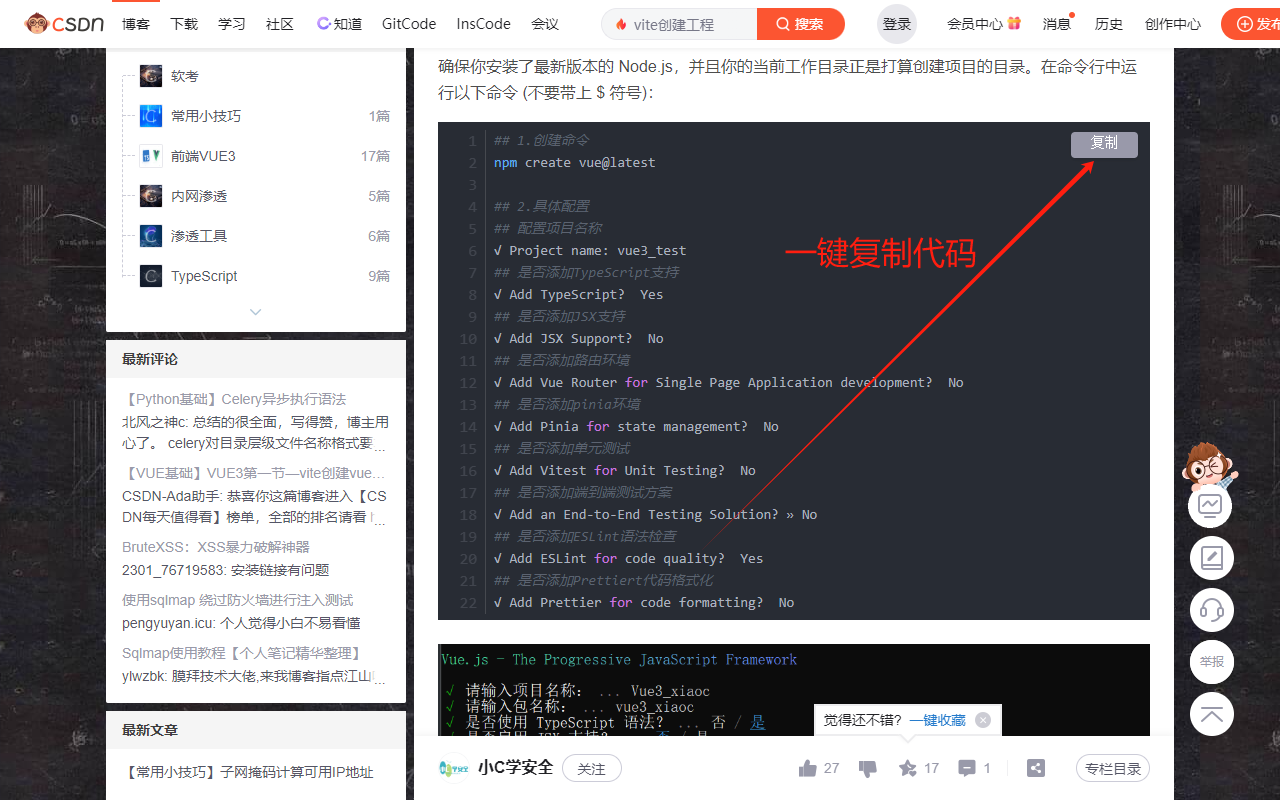
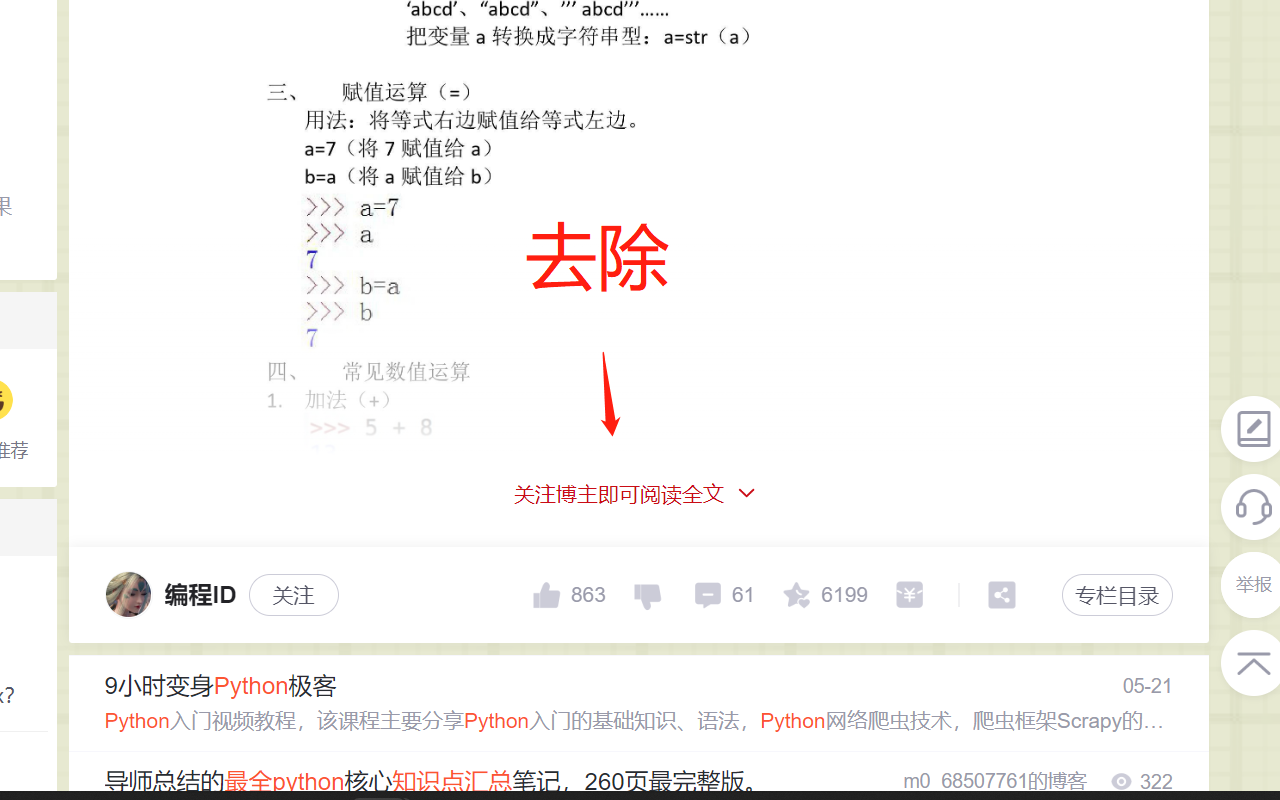
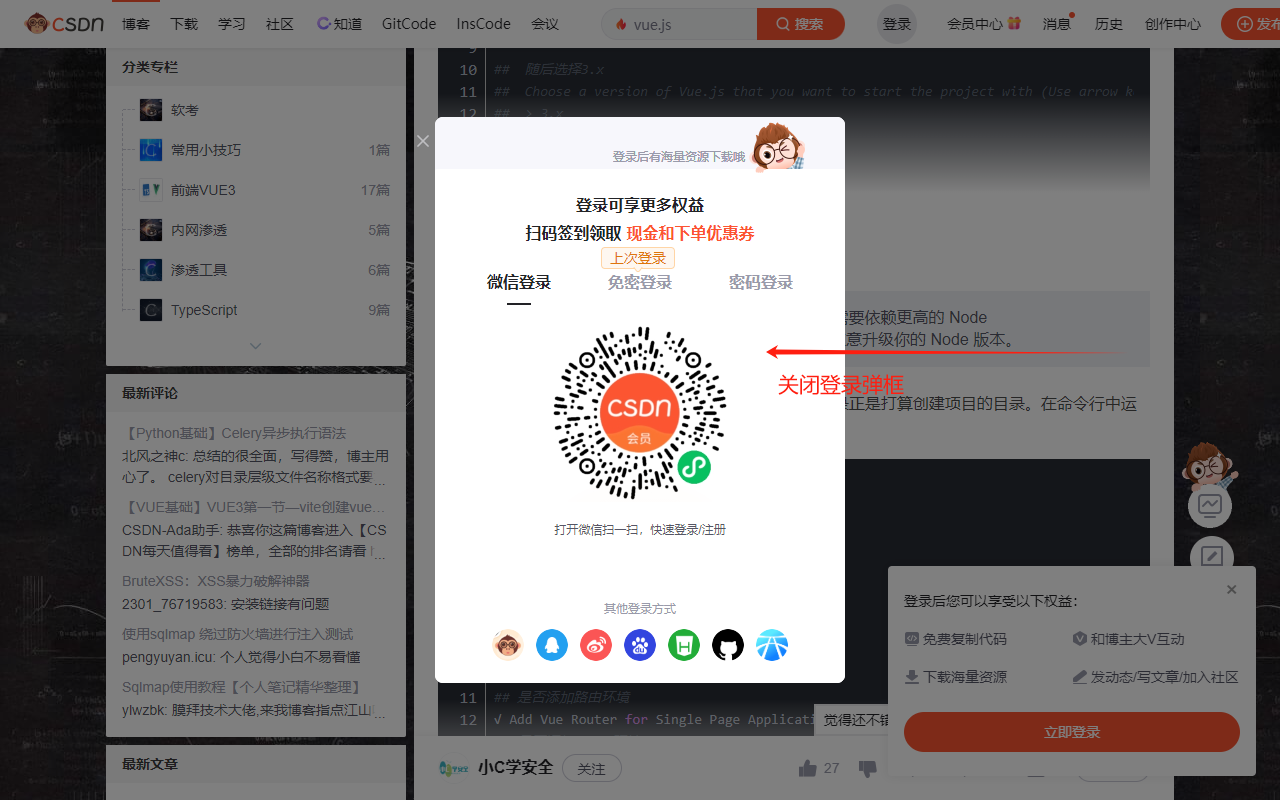
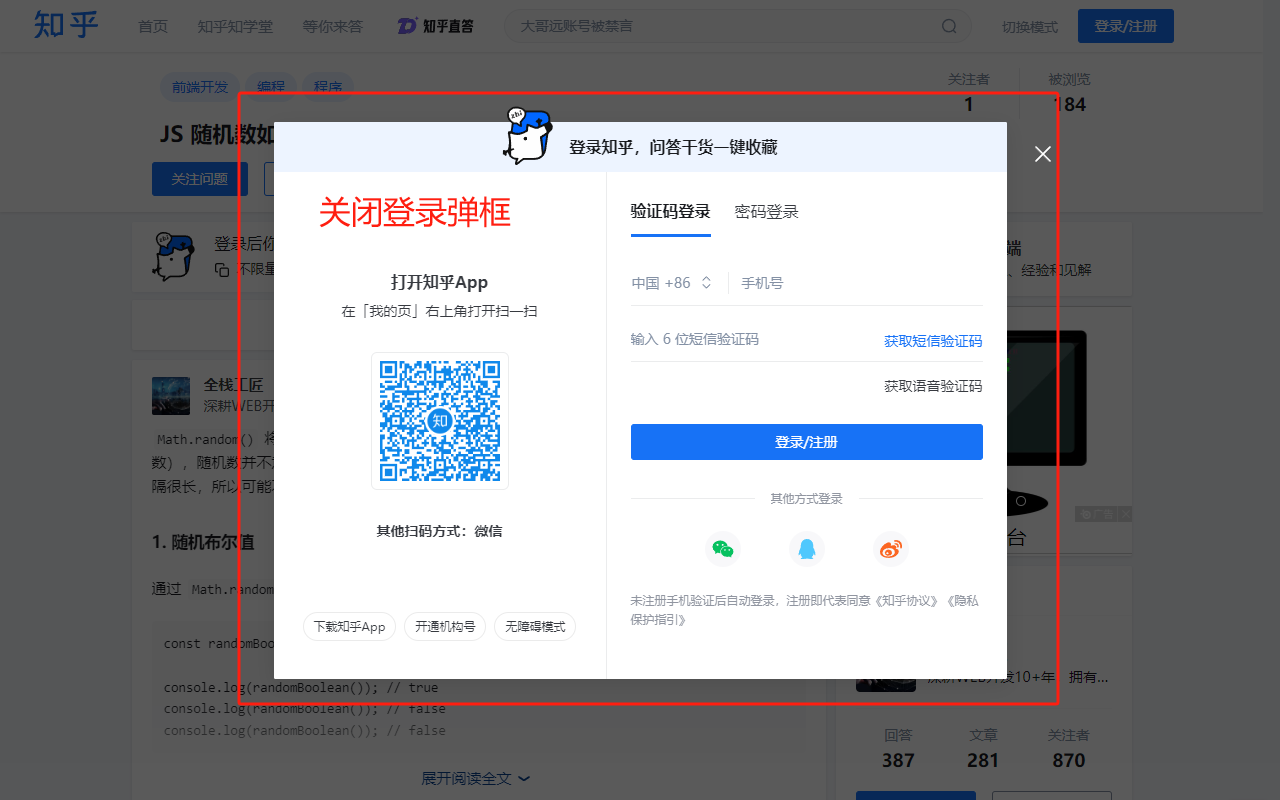
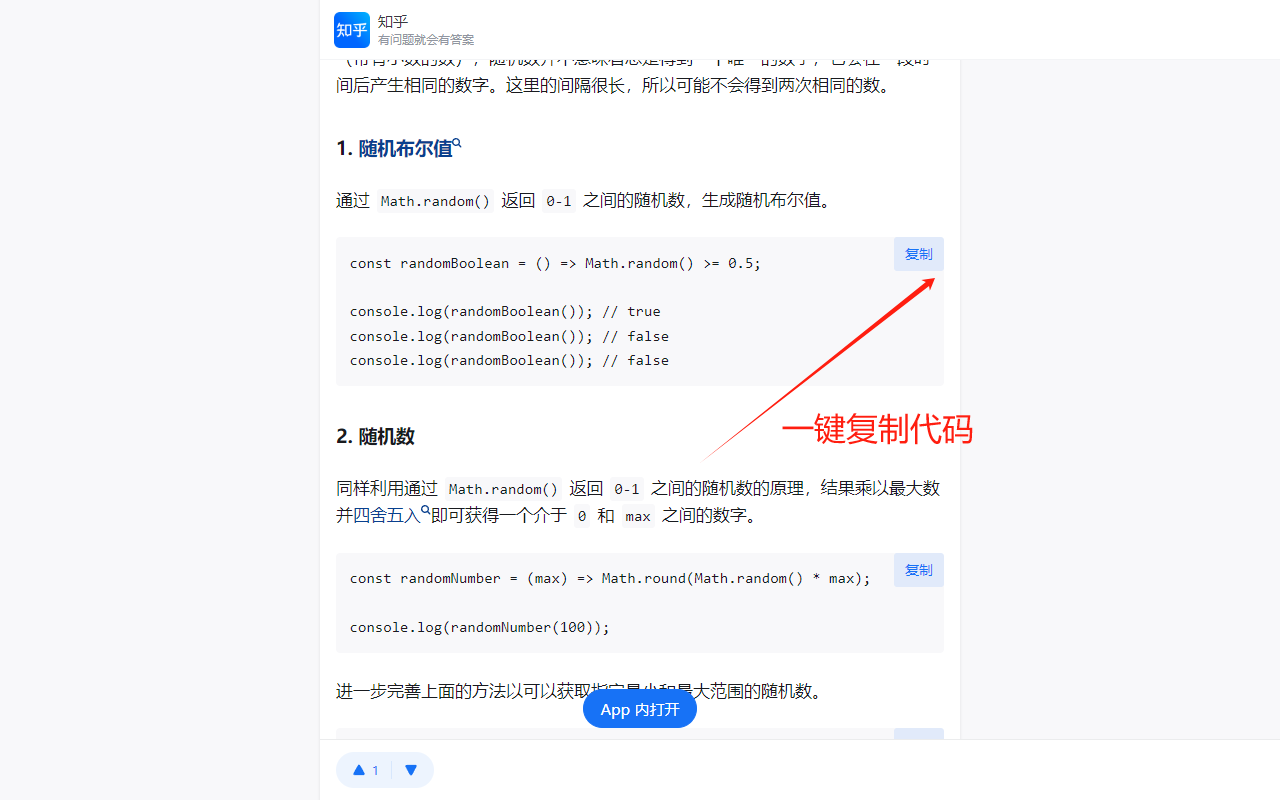
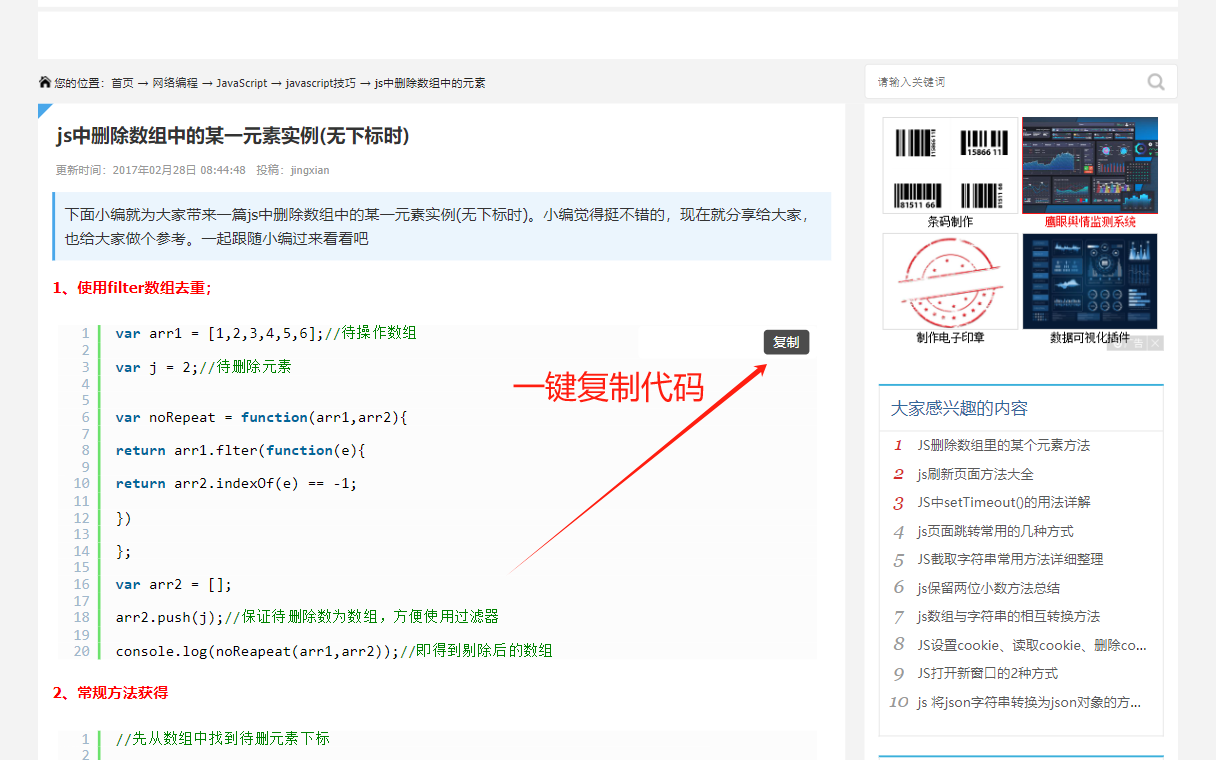
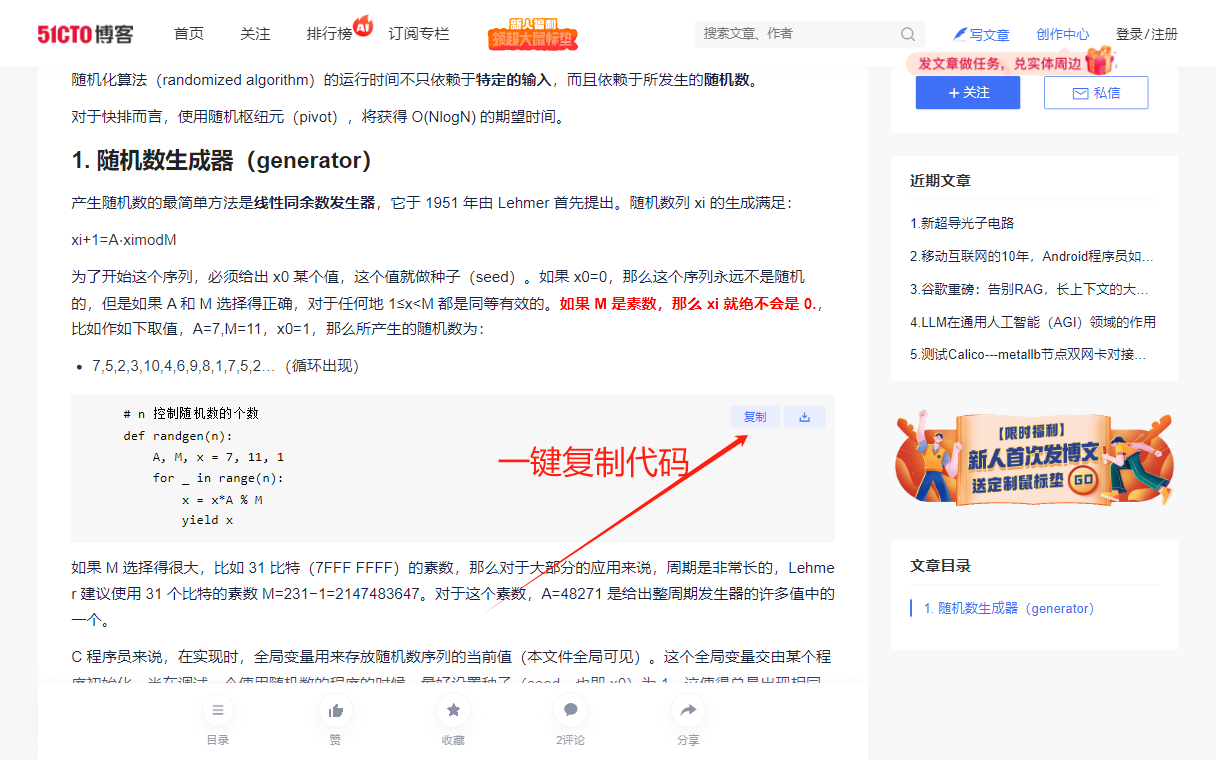
This browser plugin can be used on websites like CSDN/Zhihu/Script Home/Blog Garden/51CTO Blog/PHP Chinese Network/Juejin/WeChat, etc., to download articles as HTML or Markdown files with one click; to copy code without logging in; to support selected code; or to copy code with one click from the button in the upper right corner of the code; to remove the prompt to follow the blogger to read the full text; to remove the login pop-up window; to remove the pop-up window to jump to the APP.
|
|
|
|
## Installation
|
|
|
|
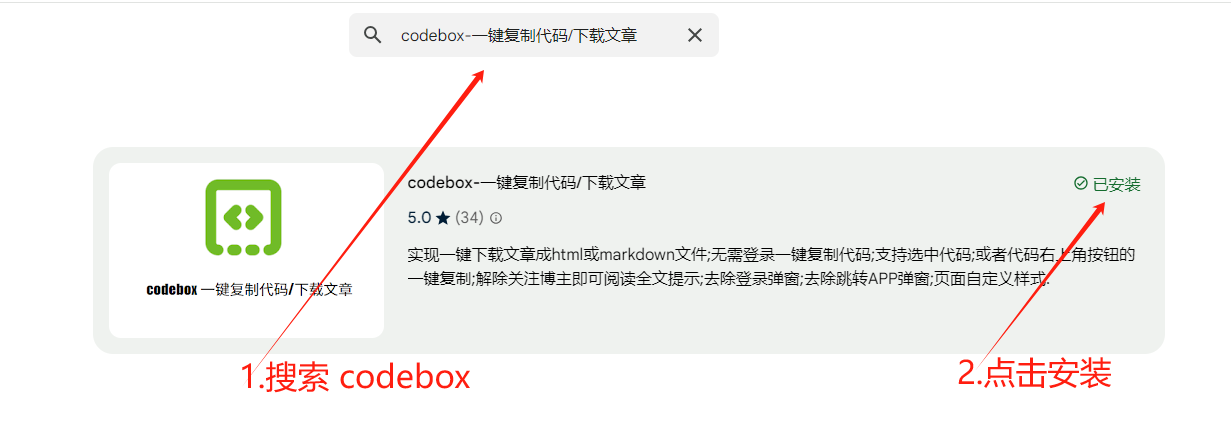
### Installation Method 1: Plugin Store (Recommended)
|
|
|
|
Directly download and install:
|
|
1. Enter the app store
|
|
- [Chrome Web Store](https://chrome.google.com/webstore/category/extensions?hl=zh-CN)
|
|
- [Edge Web Store](https://microsoftedge.microsoft.com/addons/Microsoft-Edge-Extensions-Home?hl=zh-CN)
|
|
- [360 Browser App Store](https://ext.se.360.cn/#/extension-detail?id=acnnhjllgegbndgknlliobjlekgilbdf)
|
|
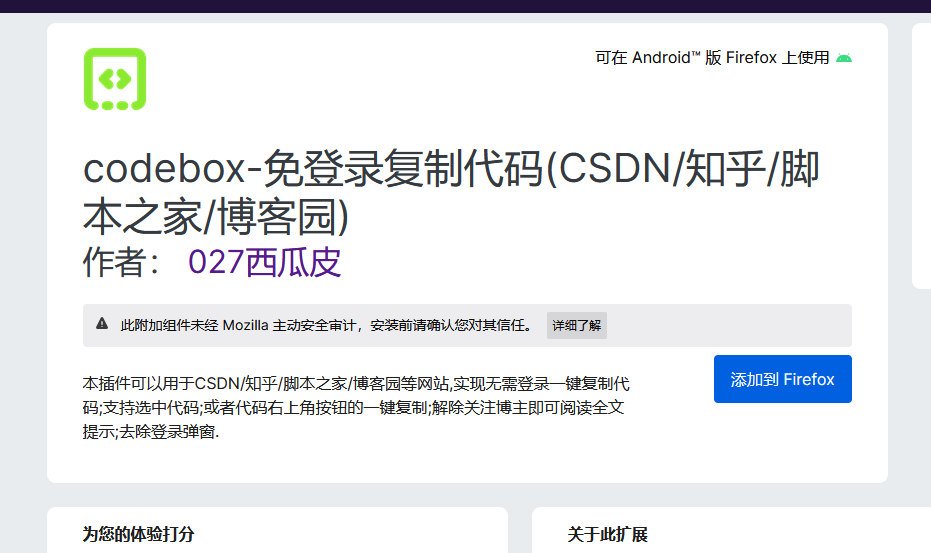
- [Firefox Web Store](https://addons.mozilla.org/zh-CN/firefox/)
|
|
|
|
2. Search: `codebox`
|
|
|
|
|
|
|
|

|
|
|
|
### Installation Method 2: Direct Installation
|
|
|
|
1. Installation address:
|
|
- [Go to Chrome Extension Store](https://chrome.google.com/webstore/detail/acnnhjllgegbndgknlliobjlekgilbdf)
|
|
- [Go to 360 Browser Extension Store](https://ext.se.360.cn/#/extension-detail?id=acnnhjllgegbndgknlliobjlekgilbdf)
|
|
- [Go to Firefox Extension Store](https://addons.mozilla.org/zh-CN/firefox/addon/code-box/)
|
|
- [Go to Edge Extension Store](https://microsoftedge.microsoft.com/addons/detail/code-box/cfpdbfmncaampihkmejogihjkenkonbn)
|
|
|
|
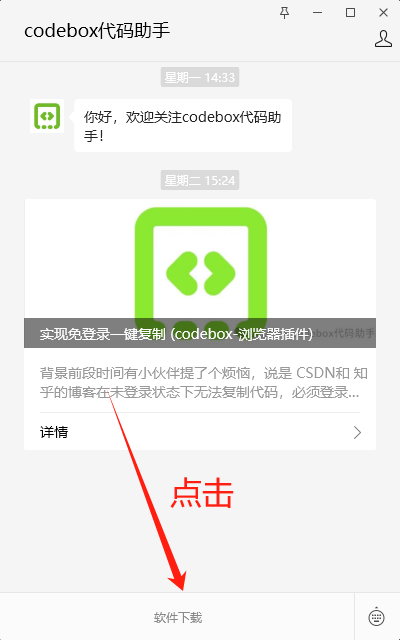
### Installation Method 3: Download from WeChat Official Account
|
|
|
|
1. Follow the WeChat official account
|
|
|
|

|
|
|
|
2. Click `Software Download`
|
|
|
|
|
|
|
|
### Installation Method 4: Source Code Installation
|
|
|
|
1. Clone the source code
|
|
```sh
|
|
git clone https://github.com/027xiguapi/code-box.git
|
|
```
|
|
2. Install and package
|
|
```sh
|
|
pnpm install
|
|
pnpm dev
|
|
pnpm build
|
|
```
|
|
3. For Google Chrome, you can enter the plugin management page from the upper right menu -> More tools -> Extensions, or you can directly enter chrome://extensions in the address bar to access it.
|
|
4. Check the developer mode, and you can directly load the plugin in the form of a folder.
|
|
|
|
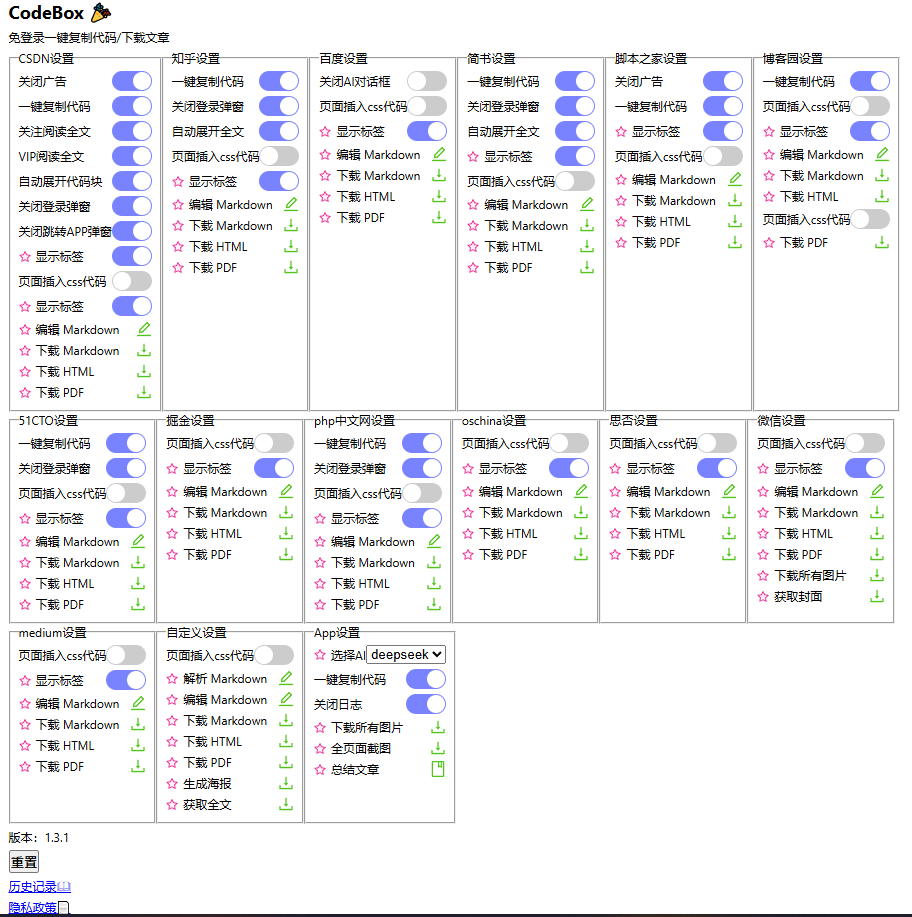
## Function
|
|
|
|
|
|
|
|
### Customization
|
|
|
|
- Insert custom styles (CSS code)
|
|
- Download all images
|
|
- Customize the selection to download HTML
|
|
- Customize the selection to download Markdown
|
|
- Customize the selection to download PDF
|
|
|
|
### WeChat
|
|
|
|
- Insert custom styles (CSS code)
|
|
- One-click download of article HTML
|
|
- One-click download of article Markdown
|
|
- One-click download of article PDF
|
|
- One-click download of all images
|
|
|
|
### Nuggets
|
|
|
|
- Insert custom styles (CSS code)
|
|
- One-click download of article HTML
|
|
- One-click download of article Markdown
|
|
- One-click download of article PDF
|
|
|
|
### CSDN
|
|
|
|
- One-click download of article HTML, PDF, or Markdown files
|
|
- Open any `CSDN` blog to start copying code
|
|
- Support for selected code when not logged in to `CSDN`
|
|
- One-click copy of code from the button in the upper right corner of the code when not logged in to `CSDN`
|
|
- No more forced login pop-ups when not logged in to `CSDN`
|
|
- No more prompts to follow the blogger to read the full text when not following the blogger, and the full text is displayed
|
|
- Automatically expand code blocks
|
|
- Block APP redirection on mobile
|
|
- For non-VIP users, no more prompts for VIP viewing, and the full text is displayed
|
|
- Insert custom styles (CSS code)
|
|
|
|
### Zhihu
|
|
|
|
- One-click download of article HTML, PDF, or Markdown files
|
|
- One-click copy of code
|
|
- No more prompts to expand and read the full text when not logged in to `Zhihu`, and the full text is displayed
|
|
- No more forced login pop-ups when not logged in to `Zhihu`
|
|
- Insert custom styles (CSS code)
|
|
|
|
### Baidu
|
|
|
|
- One-click download of dialog box HTML, PDF, or Markdown files
|
|
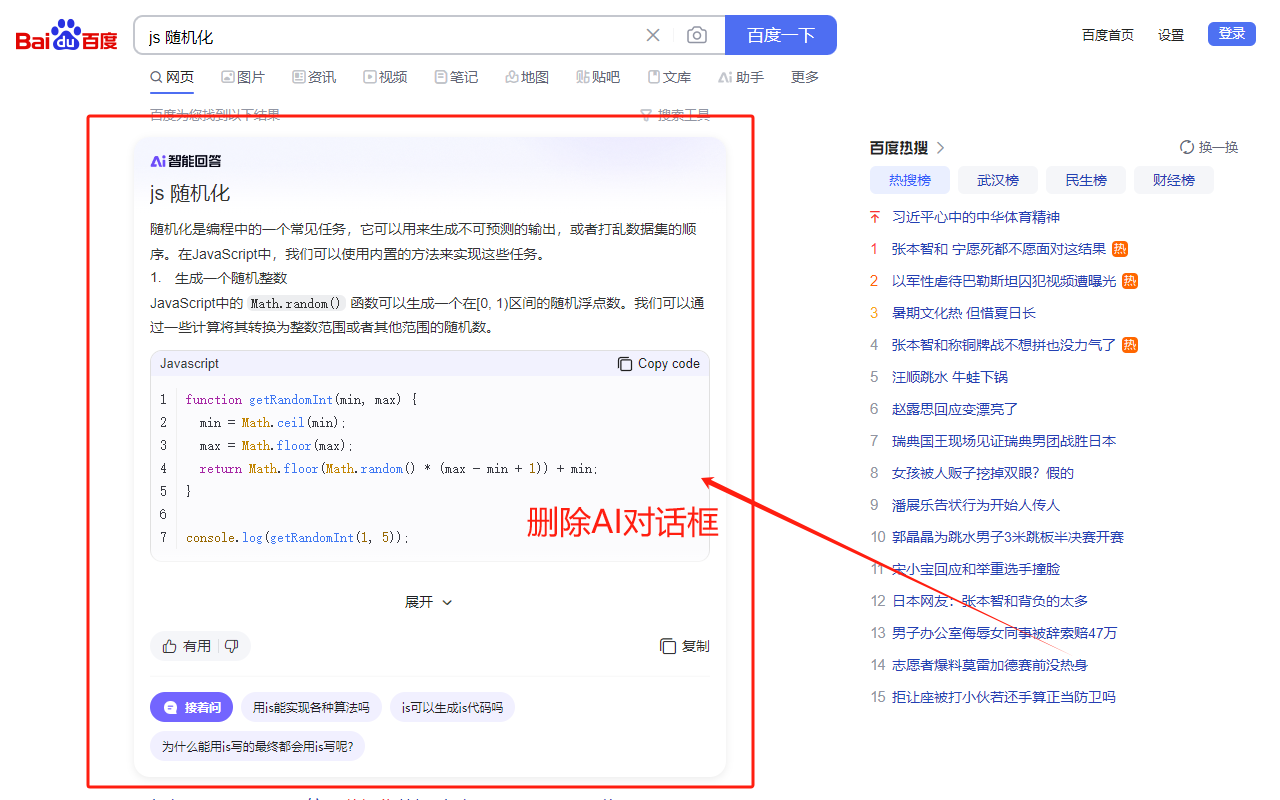
- Close AI dialog box
|
|
|
|
### Jian Shu
|
|
|
|
- One-click download of article HTML, PDF, or Markdown files
|
|
- One-click copy of code on mobile
|
|
- No more prompts to expand and read the full text, and the full text is displayed
|
|
- No more forced login pop-ups
|
|
- Insert custom styles (CSS code)
|
|
|
|
### Script Home
|
|
|
|
- One-click download of article HTML, PDF, or Markdown files
|
|
- Open any `Script Home` blog to start copying code
|
|
- Support for selected code when not logged in to `Script Home`
|
|
- Block ads
|
|
- One-click copy of code from the button in the upper right corner of the code on mobile when not logged in to `Script Home`
|
|
- Insert custom styles (CSS code)
|
|
|
|
### Blog Garden
|
|
|
|
- One-click download of article HTML, PDF, or Markdown files
|
|
- One-click copy of code
|
|
- Insert custom styles (CSS code)
|
|
|
|
### 51CTO Blog
|
|
|
|
- One-click download of article HTML, PDF, or Markdown files
|
|
- Support for selected code when not logged in to `51CTO Blog`
|
|
- One-click copy of code from the button in the upper right corner of the code when not logged in to `51CTO Blog`
|
|
- No more forced login pop-ups when not logged in to `51CTO Blog`
|
|
- One-click copy of code from the button in the upper right corner of the code on mobile when not logged in to `51CTO Blog`
|
|
- Insert custom styles (CSS code)
|
|
|
|
### PHP Chinese Network
|
|
|
|
- One-click download of article HTML, PDF, or Markdown files
|
|
- Support for selected code when not logged in to `PHP Chinese Network`
|
|
- One-click copy of code from the button in the upper right corner of the code when not logged in to `PHP Chinese Network`
|
|
- No more forced login pop-ups when not logged in to `PHP Chinese Network`
|
|
- One-click copy of code from the button in the upper right corner of the code on mobile when not logged in to `PHP Chinese Network`
|
|
- Insert custom styles (CSS code)
|
|
|
|
|
|
|
|
|
|
|
|
|
|
|
|
|
|
|
|
|
|
|
|
## Reference
|
|
|
|
1. [copy-csdn](https://github.com/openHacking/copy-csdn)
|
|
2. [plasmo](https://github.com/PlasmoHQ/plasmo)
|
|
3. [Chrome App Store One-stop Support](https://support.google.com/chrome_webstore/contact/one_stop_support)
|
|
4. [Out-of-the-box web printing and downloading](https://juejin.cn/post/7412672713376497727)
|
|
5. [Export WeChat Official Account Articles to PDF](https://greasyfork.org/en/scripts/510683-%E5%AF%BC%E5%87%BA%E5%BE%AE%E4%BF%A1%E5%85%AC%E4%BC%97%E5%8F%B7%E6%96%87%E7%AB%A0%E4%B8%BApdf/code)
|
|
6. [One-click Download of WeChat Official Account Article Images](https://greasyfork.org/zh-CN/scripts/40583-%E5%BE%AE%E4%BF%A1%E5%85%AC%E4%BC%97%E5%8F%B7%E6%8E%A8%E6%96%87%E5%9B%BE%E7%89%87%E4%B8%80%E9%94%AE%E4%B8%8B%E8%BD%BD/code)
|
|
|
|
## Privacy Policy
|
|
|
|
[Webpage](https://027xiguapi.github.io/code-box/privacy-policy.html)
|
|
|
|
## Support
|
|
|
|

|
|
|
|
 |