 fzk
fzkCodebox - One-click Code Copying/Downloading Articles
official website
Introduction
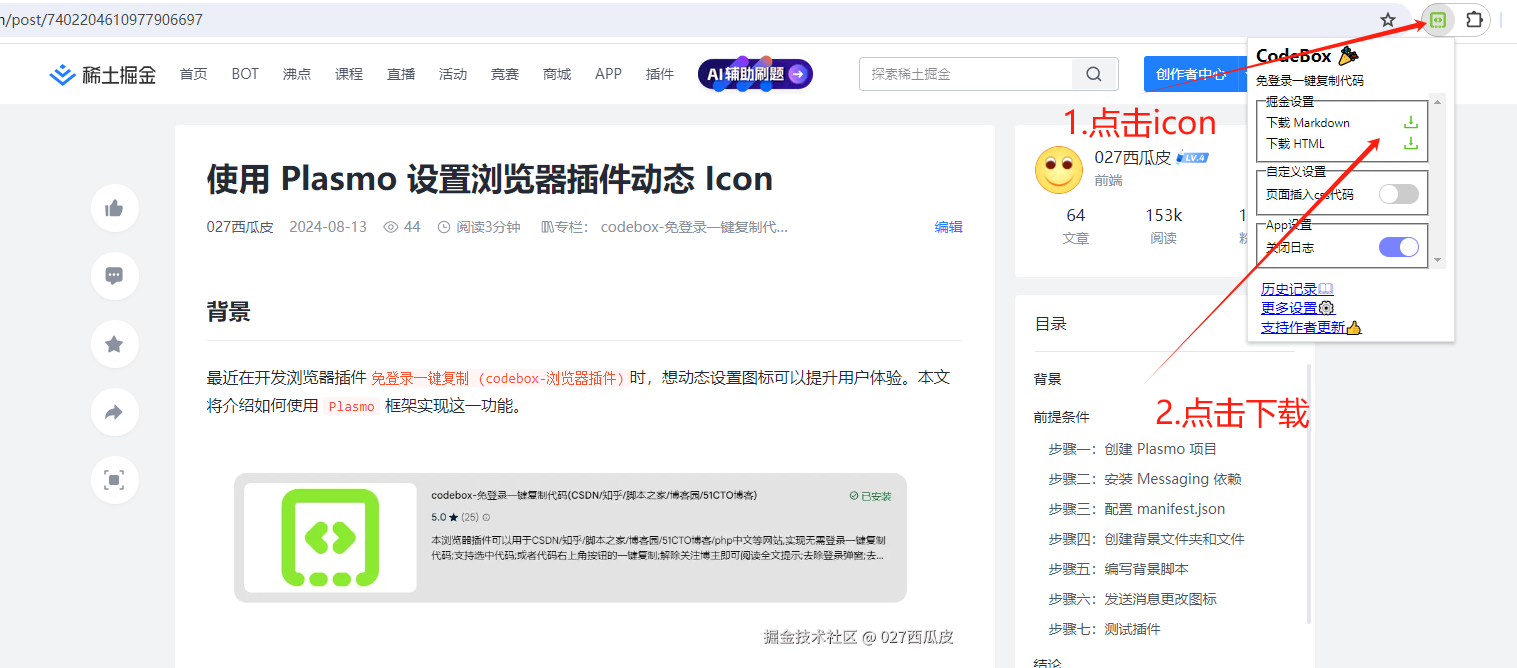
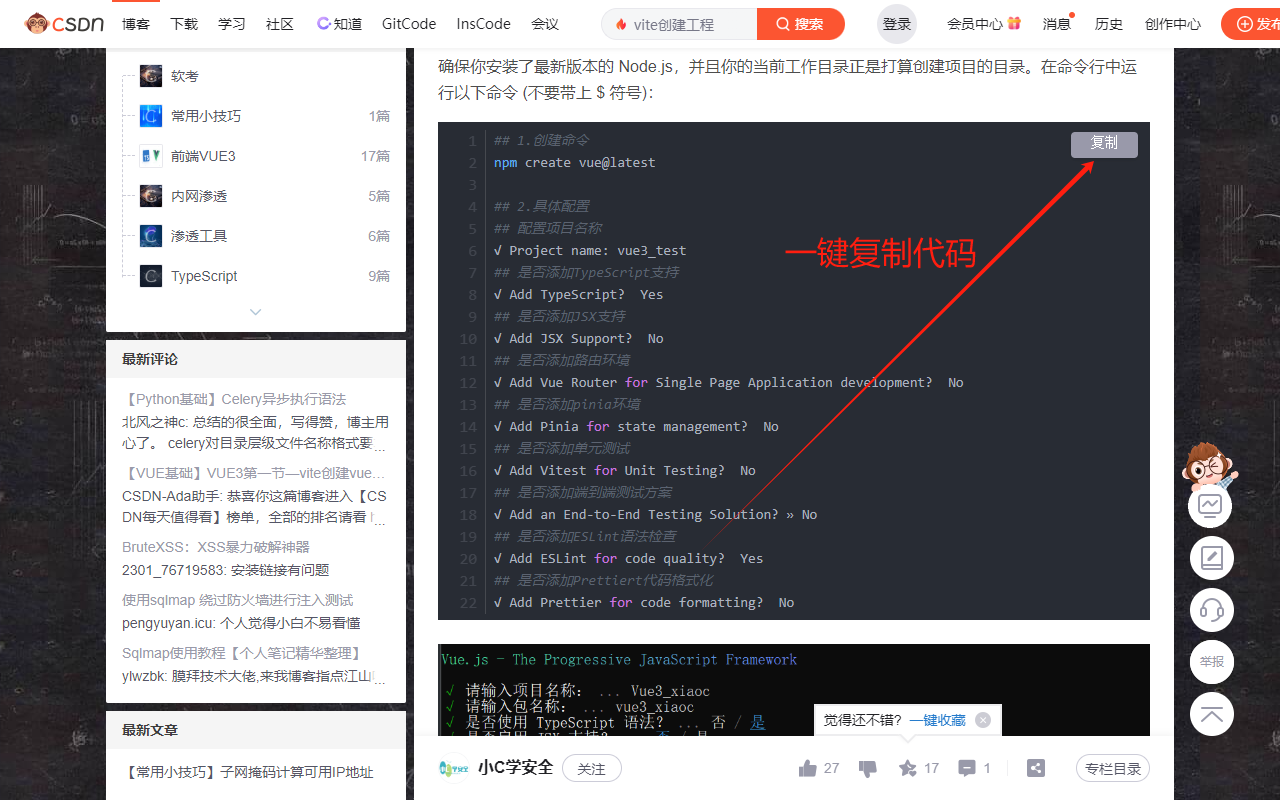
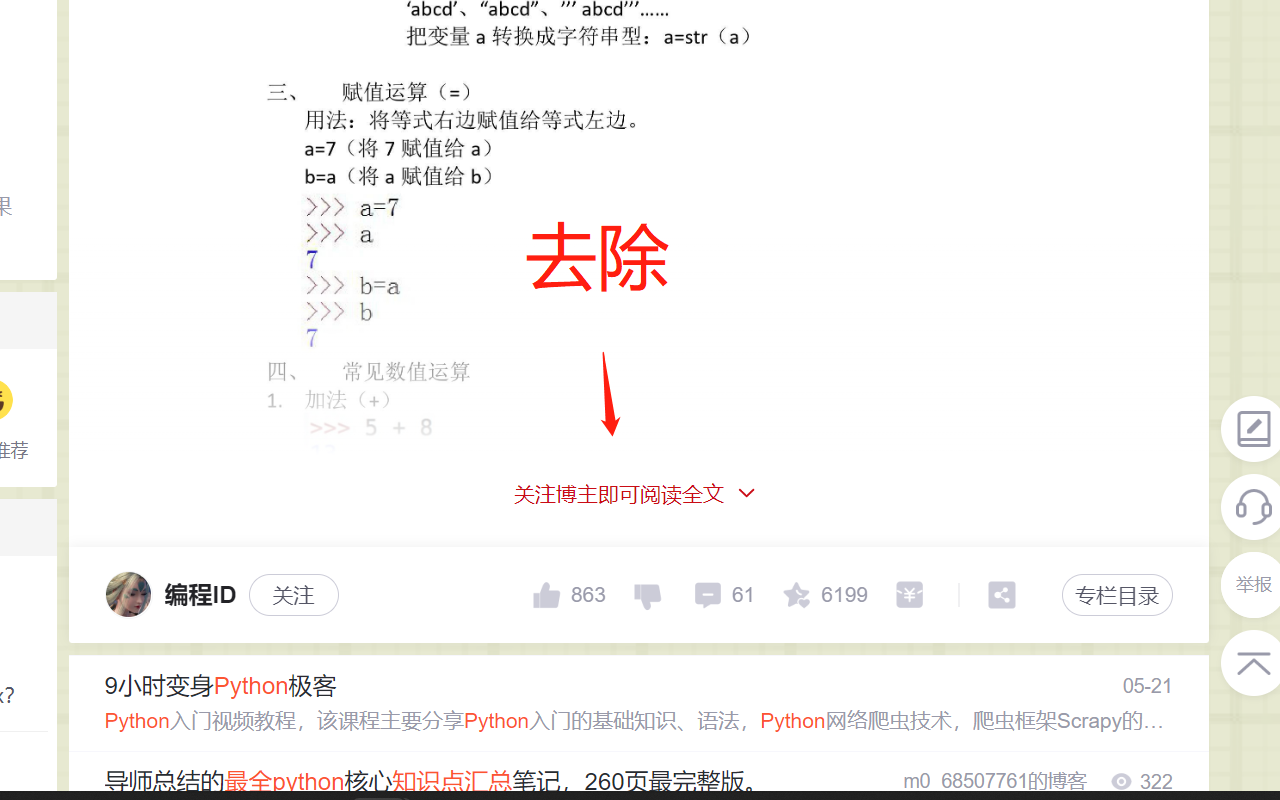
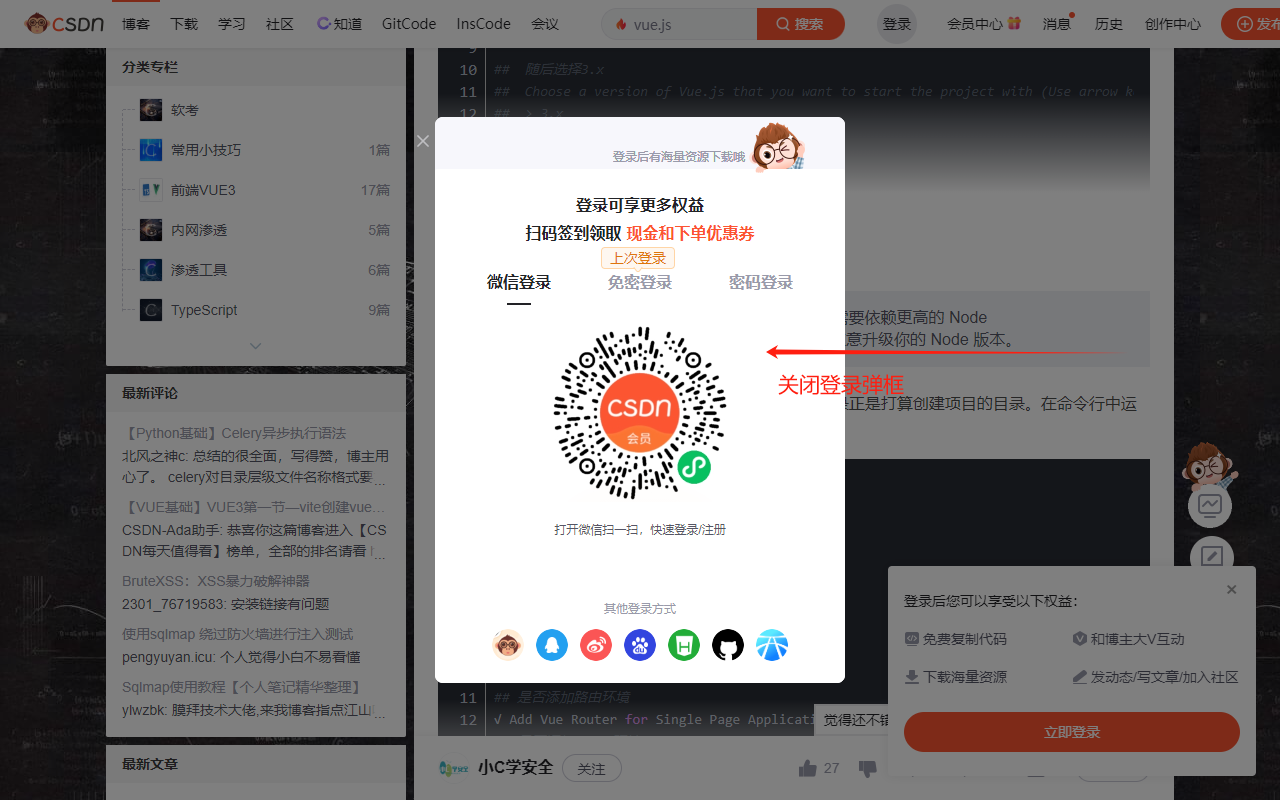
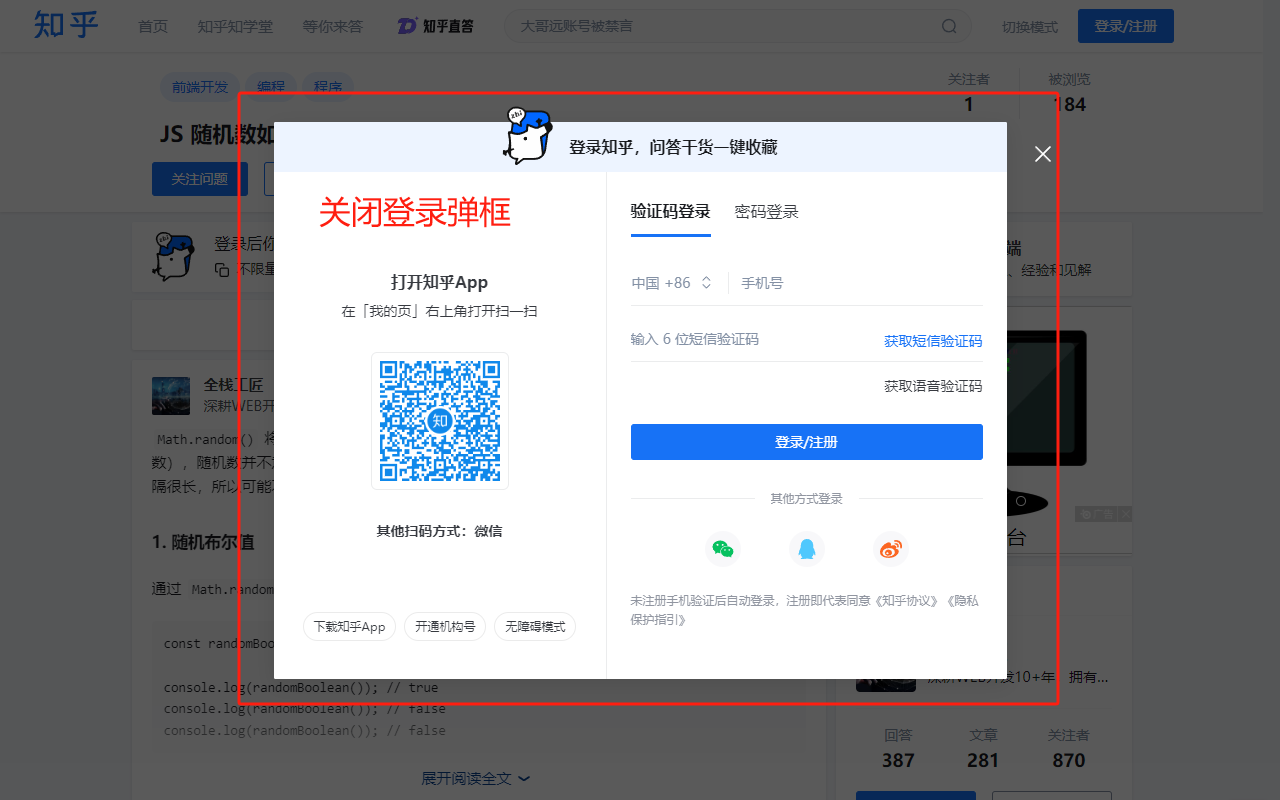
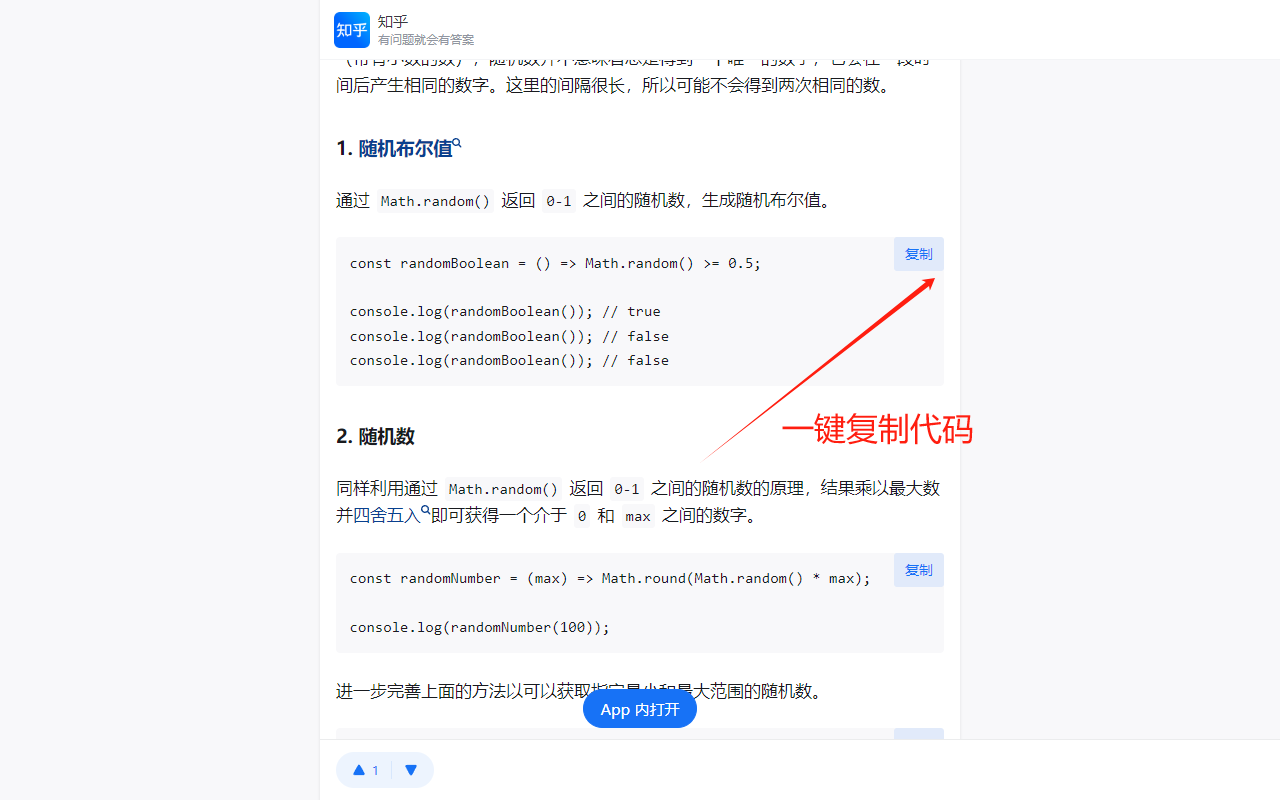
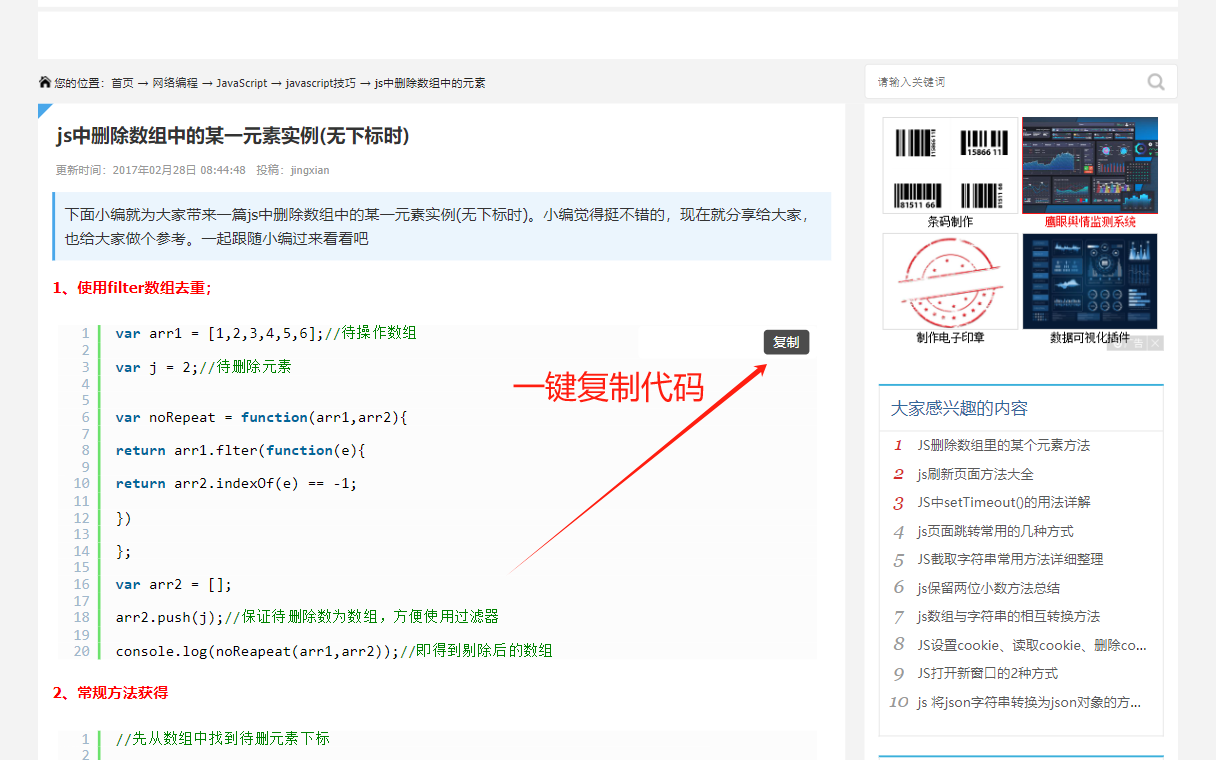
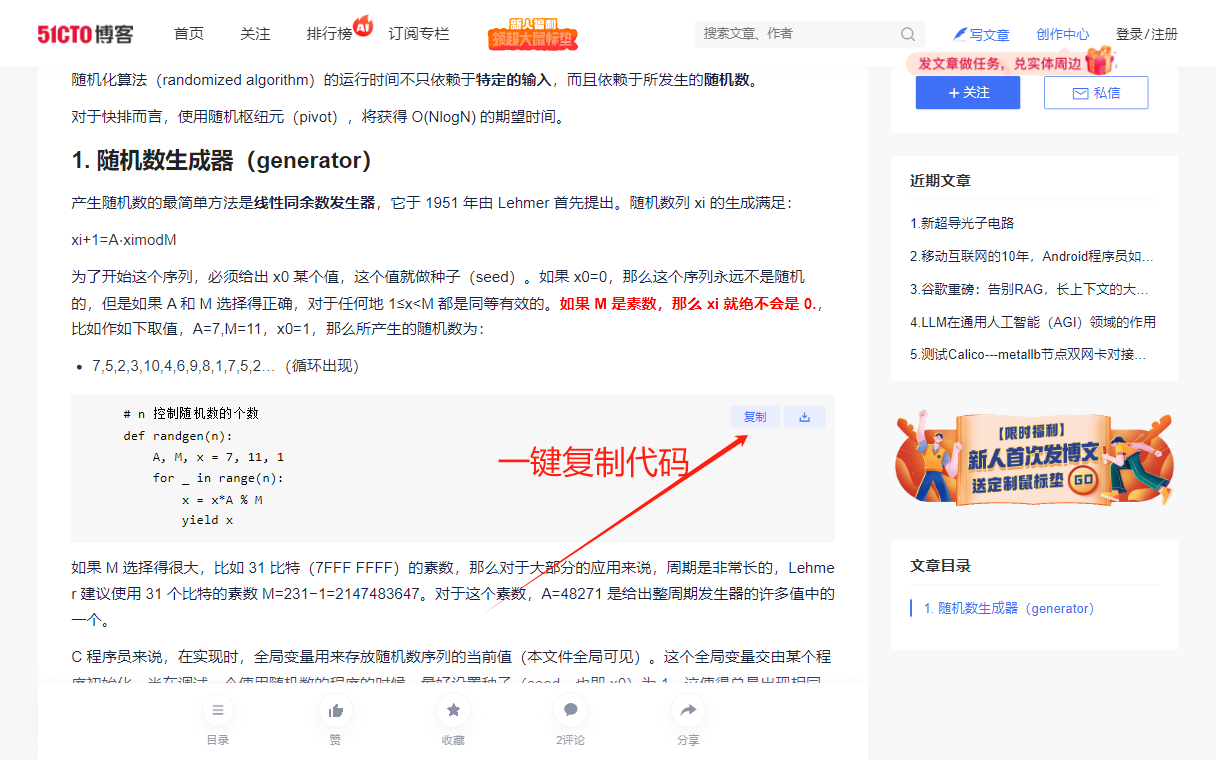
This browser plugin can be used on websites like CSDN/Zhihu/Script Home/Blog Garden/51CTO Blog/PHP Chinese Network/Juejin/WeChat, etc., to download articles as HTML or Markdown files with one click; to copy code without logging in; to support selected code; or to copy code with one click from the button in the upper right corner of the code; to remove the prompt to follow the blogger to read the full text; to remove the login pop-up window; to remove the pop-up window to jump to the APP.
It also supports Article Sync: sync the current article to 29+ mainstream platforms (WeChat, Zhihu, Weibo, Xiaohongshu, Juejin, CSDN, Toutiao, ...) with one click, saved as a draft by default, plus self-hosted blogs such as WordPress and Typecho.
Installation
Installation Method 1: Plugin Store (Recommended)
Directly download and install:
-
Enter the app store
-
Search:
codebox
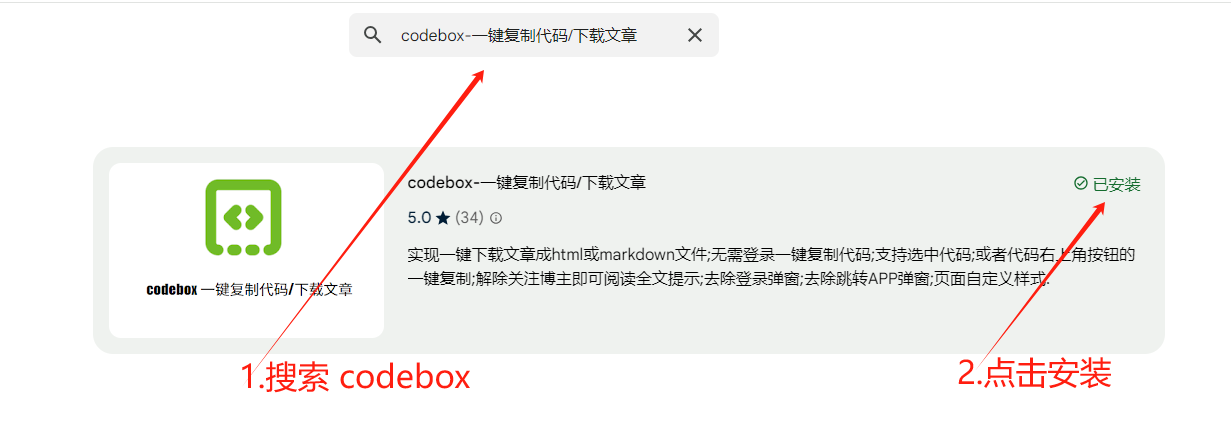
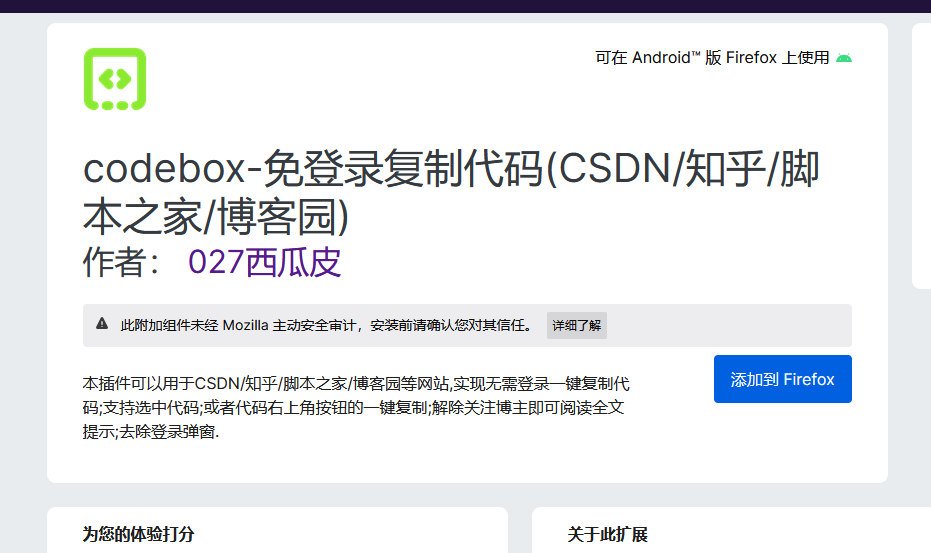

Installation Method 2: Direct Installation
- Installation address:
Installation Method 3: Download from WeChat Official Account
- Follow the WeChat official account

- Click
Software Download
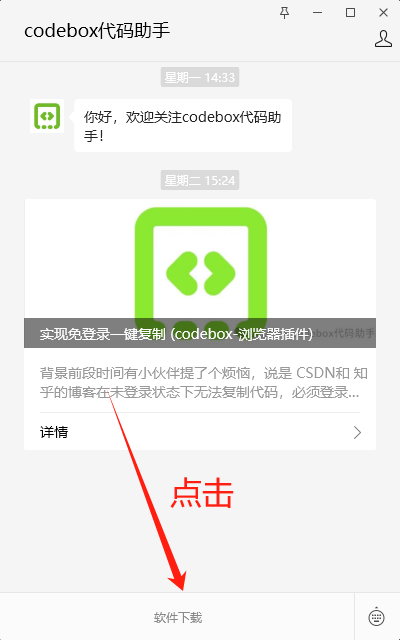
Installation Method 4: Source Code Installation
- Clone the source code
git clone https://github.com/027xiguapi/code-box.git - Install and package
pnpm install pnpm dev pnpm build - For Google Chrome, you can enter the plugin management page from the upper right menu -> More tools -> Extensions, or you can directly enter chrome://extensions in the address bar to access it.
- Check the developer mode, and you can directly load the plugin in the form of a folder.
Function
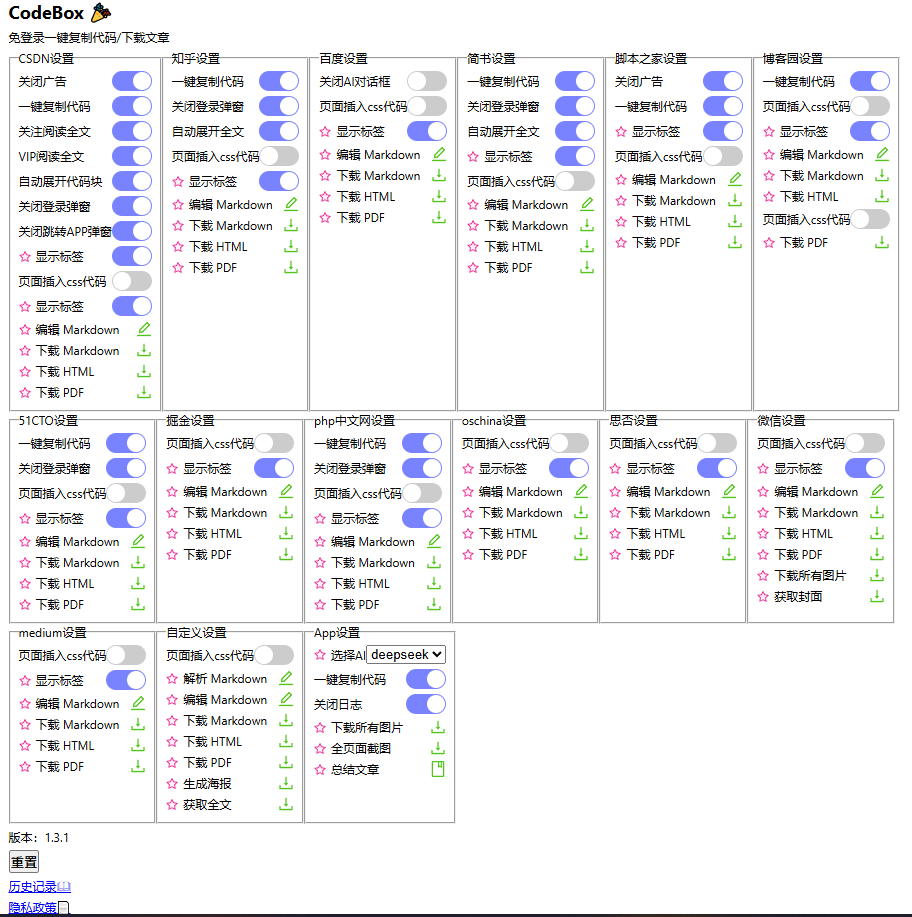
Article Sync (29+ Platforms) 🆕
Ported from the adapter architecture of Wechatsync. One click to sync the current article to 29+ mainstream platforms, saved as a draft by default.
Features
- Uses your own sessions: reads the cookies already in your browser, no extra authorization, no password
- Calls the official web APIs: exactly the same endpoints the platforms' own editors use
- Your data never leaves the browser: all requests go directly from your browser to the platform, no middle server
- Draft first: articles are saved as drafts by default, never auto-published
- Automatic image transfer: images in the article are re-uploaded to the target platform
- Per-platform content adaptation: platforms differ in what HTML they accept (links kept or stripped, whitespace compacted, code block format...), so the content is preprocessed separately for each target
- Self-hosted blogs: WordPress, Typecho, MetaWeblog
Usage
- Open any article page (WeChat, Zhihu, Juejin, CSDN, Cnblogs, ...)
- Open the sync panel from any of these entries:
- Click the extension icon →
Sync Articles - The floating panel on the article page →
文章同步/Sync Articles - The panel on WeChat article pages →
文章同步
- Click the extension icon →
- Check the extracted article, select the target platforms (the panel shows the login status of each one), then click
开始同步(Start sync) - The panel reports per-platform status, draft links and keeps a sync history
Supported platforms
| Platform | ID | Type | Sync mode |
|---|---|---|---|
| WeChat Official Account | weixin | Mainstream media | API (draft) |
| Zhihu | zhihu | Mainstream media | API (draft) |
| Mainstream media | API (draft) | ||
| Xiaohongshu | xiaohongshu | Mainstream media | Editor assist (beta) |
| Juejin | juejin | Tech community | API (draft) |
| CSDN | csdn | Tech community | API (draft) |
| Jianshu | jianshu | General | API (draft) |
| Toutiao | toutiao | General | API (draft) |
| Douyin (image-text) | douyin | Mainstream media | Editor assist (beta) |
| Bilibili column | bilibili | General | API (draft) |
| Baijiahao | baijiahao | General | API (draft) |
| Yuque | yuque | Tech community | API (draft) |
| Douban | douban | General | API (draft) |
| Sohu | sohu | General | API (draft) |
| Xueqiu | xueqiu | Finance | API (draft) |
| Woshipm | woshipm | Product | API (draft) |
| Dayu | dayu | General | API (draft) |
| Yidian | yidian | General | API (draft) |
| 51CTO | 51cto | Tech community | API (draft) |
| Imooc | imooc | Tech community | API (draft) |
| OSChina | oschina | Tech community | API (draft) |
| SegmentFault | segmentfault | Tech community | API (draft) |
| Cnblogs | cnblogs | Tech community | API (draft) |
| Sohu Focus | sohufocus | Real estate | API (draft) |
| X (Twitter) | x | Overseas | Editor assist (beta) |
| Eastmoney | eastmoney | Finance | API (draft) |
| SMZDM | smzdm | General | Editor assist (beta) |
| Netease | netease | General | Editor assist (beta) |
| WordPress | wordpress | CMS | API (draft) |
| Typecho | typecho | CMS | API (draft) |
| Hexo | zip-download | CMS | Markdown package download |
| Hugo | zip-download | CMS | Markdown package download |
Note: "Editor assist" means the platform does not expose a public draft API (or the API requires browser-side signing / risk-control checks). The extension opens the platform's official editor and prefills the title and content, then you confirm to save the draft or publish.
Self-hosted blogs (WordPress / Typecho / MetaWeblog)
Fill in the site URL, username and password under "self-hosted accounts" in the sync panel (the password is stored only in your local browser). WordPress users should use an Application Password.
Code structure (developers)
sync/
├── types.ts                  # shared types (Article / SyncResult / PlatformMeta)
├── lib/                      # HTML→Markdown, image parsing, CSS inlining, AWS4 signing, logger
├── runtime/                  # runtime abstraction + Chrome extension implementation
├── adapters/
│   ├── code-adapter.ts       # adapter base class (requests, image upload, header rules)
│   ├── editor-assist.ts      # editor-assist base class (semi-automatic sync)
│   ├── registry.ts           # adapter registry
│   ├── platforms/            # 29 platform adapters
│   └── cms/                  # WordPress / MetaWeblog (Typecho)
└── extension/                # article extractor, per-platform preprocessing, sync engine
contents/sync.ts              # content script: extraction + preprocessing
tabs/sync.tsx                 # the sync panel UI
To add a platform: implement a CodeAdapter subclass in sync/adapters/platforms/ (or extend EditorAssistAdapter when the platform needs the browser editor), then register it in ALL_ADAPTERS in sync/adapters/platforms/index.ts.
Customization
- Insert custom styles (CSS code)
- Download all images
- Customize the selection to download HTML
- Customize the selection to download Markdown
- Customize the selection to download PDF
- Insert custom styles (CSS code)
- One-click download of article HTML
- One-click download of article Markdown
- One-click download of article PDF
- One-click download of all images
Nuggets
- Insert custom styles (CSS code)
- One-click download of article HTML
- One-click download of article Markdown
- One-click download of article PDF
CSDN
- One-click download of article HTML, PDF, or Markdown files
- Open any
CSDNblog to start copying code - Support for selected code when not logged in to
CSDN - One-click copy of code from the button in the upper right corner of the code when not logged in to
CSDN - No more forced login pop-ups when not logged in to
CSDN - No more prompts to follow the blogger to read the full text when not following the blogger, and the full text is displayed
- Automatically expand code blocks
- Block APP redirection on mobile
- For non-VIP users, no more prompts for VIP viewing, and the full text is displayed
- Insert custom styles (CSS code)
Zhihu
- One-click download of article HTML, PDF, or Markdown files
- One-click copy of code
- No more prompts to expand and read the full text when not logged in to
Zhihu, and the full text is displayed - No more forced login pop-ups when not logged in to
Zhihu - Insert custom styles (CSS code)
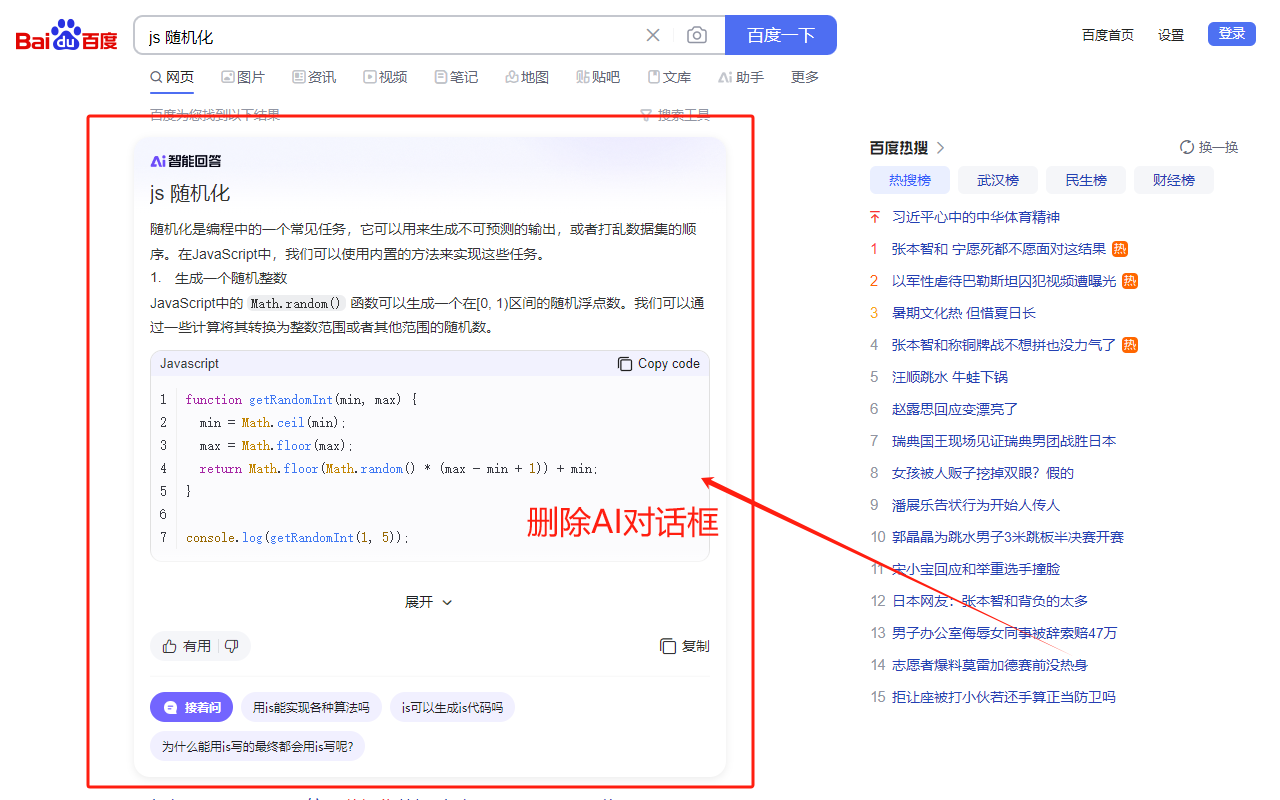
Baidu
- One-click download of dialog box HTML, PDF, or Markdown files
- Close AI dialog box
Jian Shu
- One-click download of article HTML, PDF, or Markdown files
- One-click copy of code on mobile
- No more prompts to expand and read the full text, and the full text is displayed
- No more forced login pop-ups
- Insert custom styles (CSS code)
Script Home
- One-click download of article HTML, PDF, or Markdown files
- Open any
Script Homeblog to start copying code - Support for selected code when not logged in to
Script Home - Block ads
- One-click copy of code from the button in the upper right corner of the code on mobile when not logged in to
Script Home - Insert custom styles (CSS code)
Blog Garden
- One-click download of article HTML, PDF, or Markdown files
- One-click copy of code
- Insert custom styles (CSS code)
51CTO Blog
- One-click download of article HTML, PDF, or Markdown files
- Support for selected code when not logged in to
51CTO Blog - One-click copy of code from the button in the upper right corner of the code when not logged in to
51CTO Blog - No more forced login pop-ups when not logged in to
51CTO Blog - One-click copy of code from the button in the upper right corner of the code on mobile when not logged in to
51CTO Blog - Insert custom styles (CSS code)
PHP Chinese Network
- One-click download of article HTML, PDF, or Markdown files
- Support for selected code when not logged in to
PHP Chinese Network - One-click copy of code from the button in the upper right corner of the code when not logged in to
PHP Chinese Network - No more forced login pop-ups when not logged in to
PHP Chinese Network - One-click copy of code from the button in the upper right corner of the code on mobile when not logged in to
PHP Chinese Network - Insert custom styles (CSS code)
Reference
- copy-csdn
- plasmo
- Chrome App Store One-stop Support
- Out-of-the-box web printing and downloading
- Export WeChat Official Account Articles to PDF
- One-click Download of WeChat Official Account Article Images
- Wechatsync (reference for the article sync adapter system)